How Kittix turns maintenance demand into a ready-to-use kit
Follow a maintenance kit from the parts planned for the job, through warehouse assembly and technician pickup, and all the way through returning anything that was not used.
Start with the parts maintenance expects to need
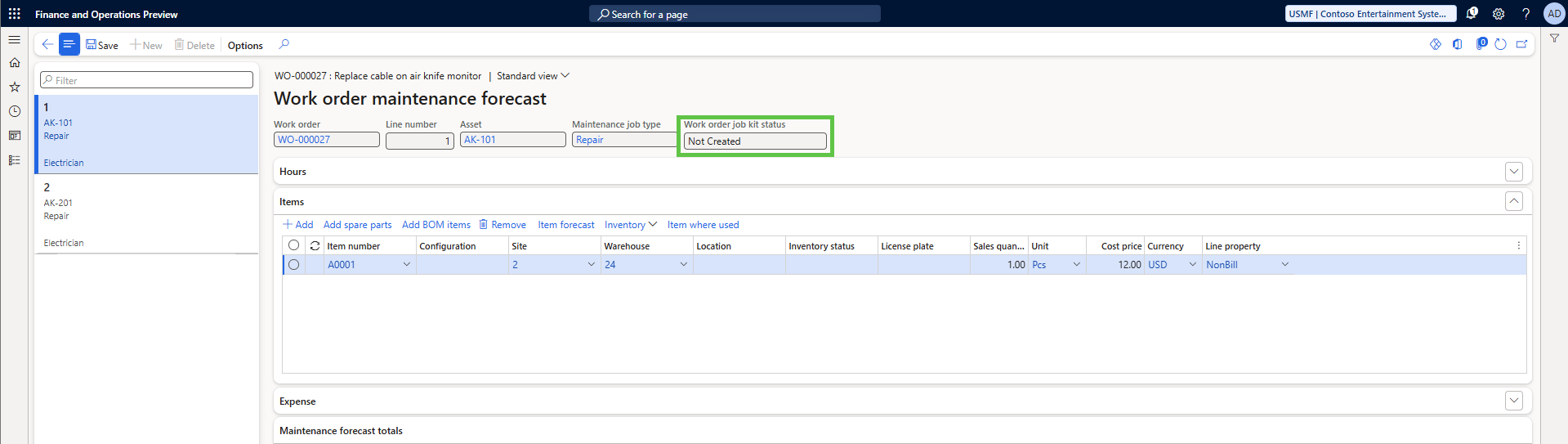
Maintenance planners or technicians add the parts they expect to use to the maintenance job forecast in D365. That forecast becomes the starting point for the kit instead of asking the warehouse to work from a separate spreadsheet, email, or pick list.
Kittix adds two important pieces of visibility to the maintenance forecast. Kit work creation eligibility tells the team whether the planned material currently qualifies for Kittix kit creation. Work order job kit status tells maintenance where the kit stands as the warehouse prepares it.
That gives maintenance an early indication of whether the planned material is ready to move into the kitting process and continued visibility after warehouse activity begins.
Shows whether the maintenance demand is eligible, partially eligible, or not eligible for kit creation.
Gives maintenance visibility as the kit moves through warehouse preparation and technician pickup.
Decide when the warehouse should start building the kit
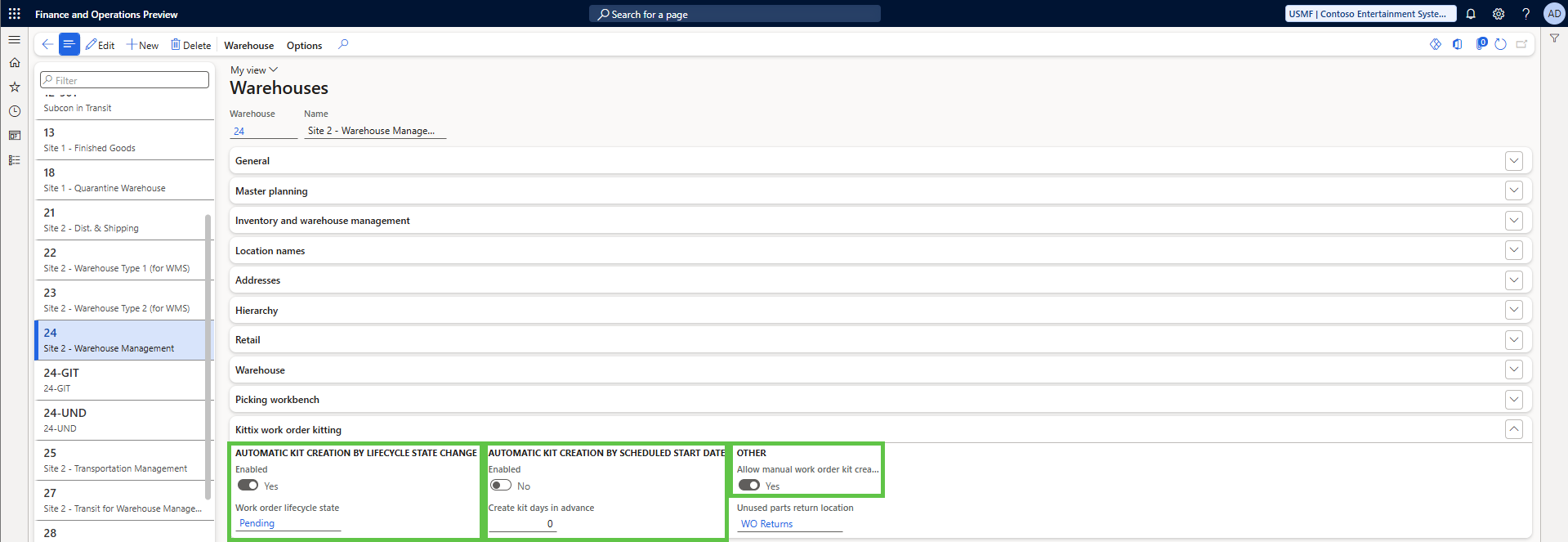
Not every maintenance operation wants kits prepared the same way. Kittix lets each warehouse determine when assembly should begin so the process can match the way maintenance is actually scheduled.
A planned shutdown may need kits prepared several days in advance. Routine work may begin at a defined point in the work order lifecycle. Emergency maintenance may need someone to start the kit immediately.
Begin preparing the kit when the maintenance process reaches the point where warehouse preparation should start.
Begin preparing the kit in advance of the maintenance job's scheduled start.
Let an authorized user begin kit preparation when urgent or same-day work requires it.
Check the current state of the kit before creating more work
Maintenance plans can change, and the warehouse may already have part of the kit underway. Before additional work is created, Kittix checks the current state of the kit so the warehouse can continue from where the process actually stands.
This helps reduce duplicate warehouse activity and unnecessary picking while allowing the kit to keep pace with changes to the maintenance job.
Turn maintenance demand into real D365 warehouse work
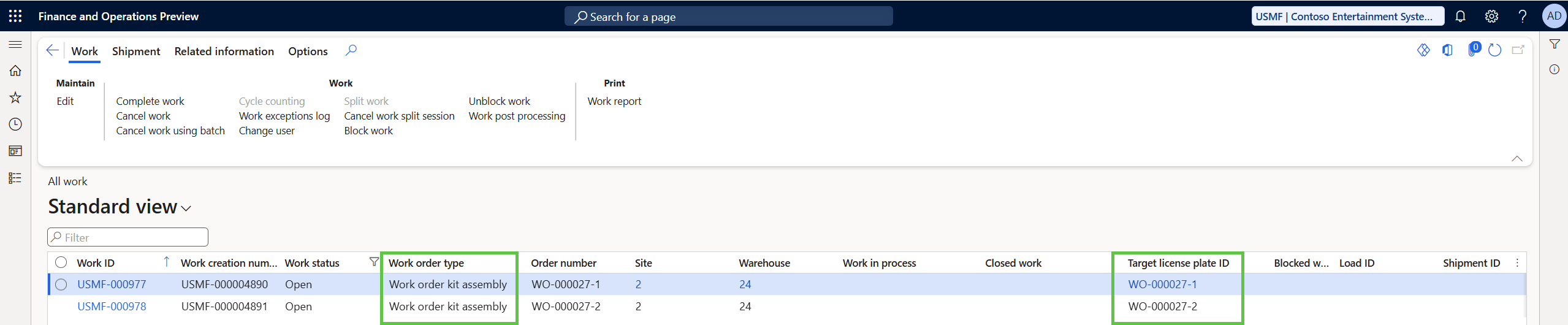
Once the kit is ready for warehouse preparation, Kittix creates D365 Warehouse Management work using the warehouse configuration and inventory controls already in place.
The work remains connected to the maintenance job and the material being assembled remains identifiable as part of that kit.
The result is a kitting process that feels like part of D365 rather than a separate picking application that the warehouse has to manage alongside it.
Let the warehouse assemble the kit the way it already works
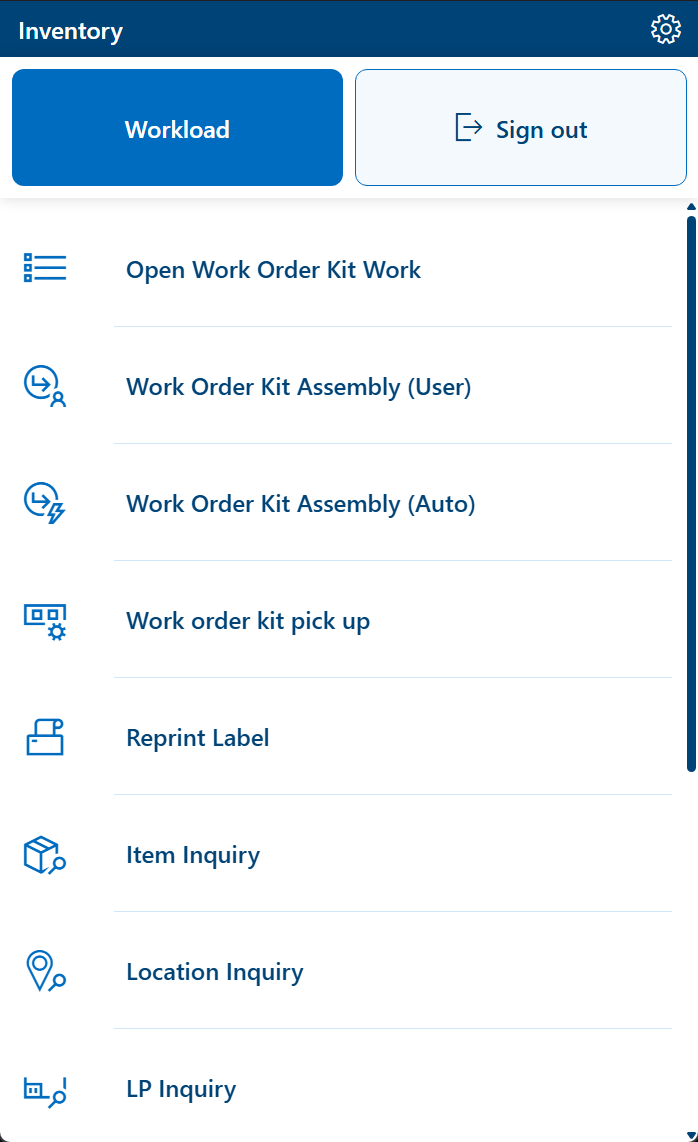
Warehouse workers assemble Kittix work through the D365 Warehouse Management mobile app. They can follow system-directed work or select the maintenance kit they need to prepare.
The mobile process guides the worker through the required warehouse confirmations while the parts are picked and brought together for the job.
If physical inventory does not match what D365 expected, standard warehouse exception handling remains available so the worker can record what was actually found and continue with the process.
Once assembly is complete, the kit is staged for maintenance and remains clearly identified for pickup.
Keep kits local or bring everything to one pickup point
Some maintenance operations want each warehouse to prepare and stage its own material. Others want one central pickup area even when several warehouses contribute parts. Kittix supports both approaches.
That flexibility lets the kitting model follow the way your warehouses and maintenance teams are already organized instead of forcing the business into one operating model.
Warehouse-specific kitting
Each participating warehouse prepares and stages the material it is responsible for.
Kit material
Kit material
Centralized kitting
Material from participating warehouses can come together at one central pickup point for maintenance.
Let the technician take the whole kit or only what the job needs
When the technician arrives, Kittix provides a controlled handoff between the warehouse and maintenance.
Technicians have the ability to pick up all assembled parts in the kit or take only the parts they know they need from the kit. Material that is not taken can remain with the kit for later use.
Kittix records the pickup so the warehouse and maintenance teams have visibility into who received the material and what left the kit.
Connect the warehouse handoff to the maintenance job.
Let maintenance take what the job actually needs.
Record the pickup so both teams know what left the warehouse.
Finish the process by getting unused parts back into inventory
Maintenance work does not always consume everything that was prepared. When unused material comes back, Kittix gives the warehouse a controlled way to process the return instead of relying on the technician to remember where each part belongs.
Kittix retains the information needed to guide unused material toward the appropriate inventory destination. The warehouse can then complete the return through a directed process, including situations where material needs to return to another warehouse.
The result is a closed-loop process that continues after technician pickup instead of leaving returned maintenance material outside normal inventory control.
Maintenance should not have to call the warehouse to find out where the kit stands
The Kittix fields on the maintenance forecast give the maintenance team two different kinds of visibility: whether planned demand is ready for kit creation and how the kit is progressing after warehouse preparation begins.
Ready to see how Kittix would work in your environment?
We can walk through your maintenance and warehouse setup and show how Kittix would fit into your work order planning, warehouse preparation, technician pickup, and unused-part return process.